Intro
My lab is off campus, and its network can't access academic journals through IP-based authentication — a need that comes up constantly.
That leaves a VPN as the only option, but it comes with its own set of problems:
- If you connect the VPN only when you need a resource, you'll likely waste a lot of time on it in the long run;
- If you stay connected all the time, you'll hit reconnection issues whenever you switch networks; and in practice the VPN has been unstable with low bandwidth — a poor experience overall;
- And since the VPN takes over all traffic, resources that don't need it also take a long detour, while local network resources become unreachable.
So I spent a little time and came up with a setup — Surge + Snell v5 + frp + Subnet policy group — that solves this problem seamlessly.
Prerequisite
In short, the whole process boils down to three steps:
- Deploy a Snell v5 proxy on a machine on the campus network that stays on 24/7;
- Punching a hole through the campus network is painful, so to keep things simple, use frp to tunnel the Snell v5 proxy to a server with a public IP;
- On a MacBook with Surge for Mac installed, write a few simple rules and enjoy hassle-free browsing via the Subnet policy group.
If you'd like to try this setup, you'll need:
- A computer/server on the campus network that stays on 24/7
- A Mac running macOS, plus a purchased copy of Surge for Mac
- A stable server with a public IP, for frp NAT traversal
Example
Deployment is very straightforward, so I won't demonstrate it here; if you run into problems, feel free to discuss them in the comments.
The key to the seamless experience is a Subnet policy group. Here's how mine is configured:
- When connected to the campus network (SSIDs: eduroam/ShanghaiTech/Jayden), traffic in this policy group goes direct, so it doesn't loop through the campus proxy.
- In all other cases, traffic in this policy group always goes through the campus proxy.
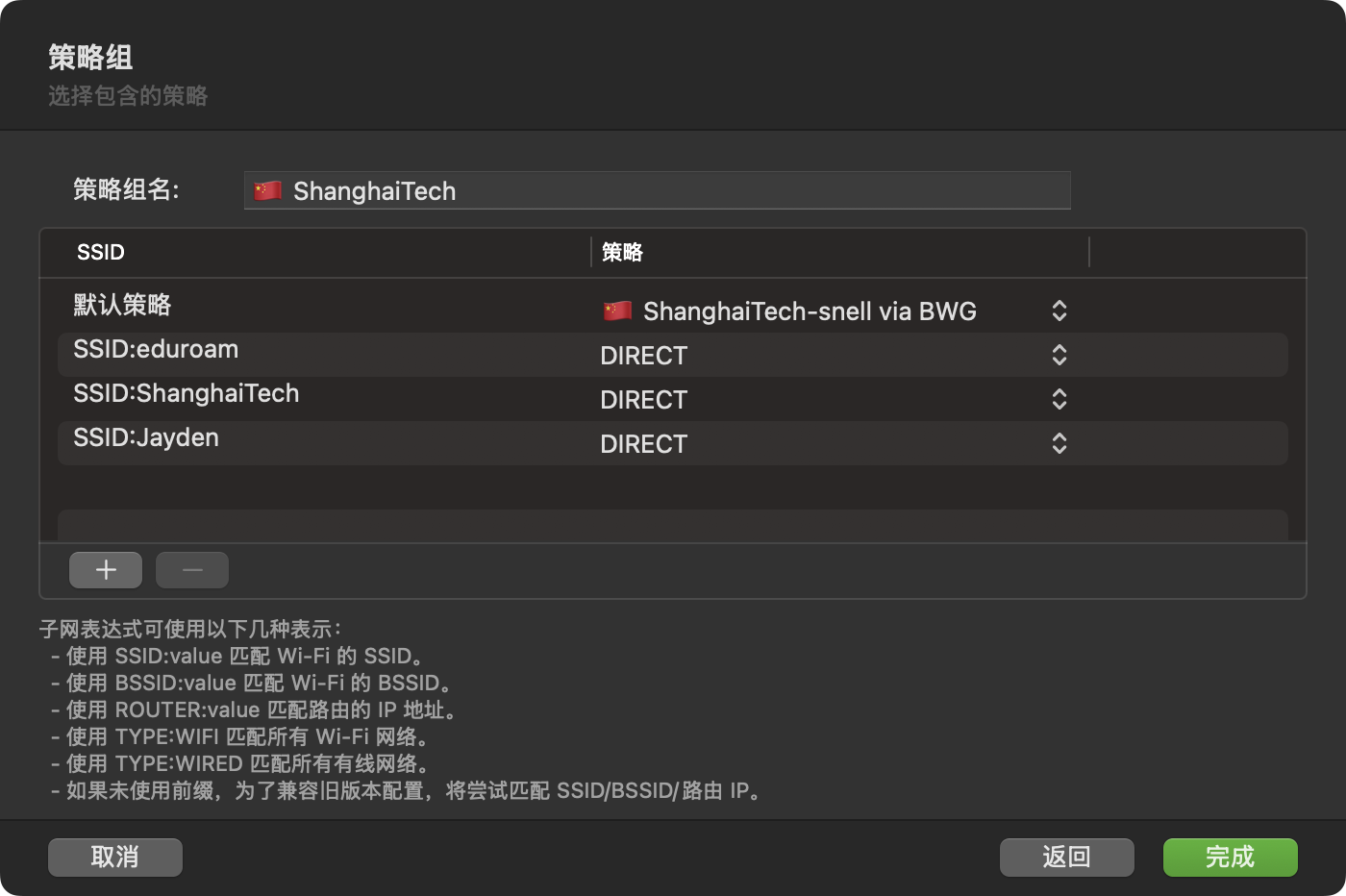
Subnet policy group
Then just assign domains like pnas.org (PNAS), nature.com (Nature), cell.com (Cell), and science.com (Science) to the Subnet policy group above.
You can also route some campus IPs through the Subnet policy group to access campus-only resources.
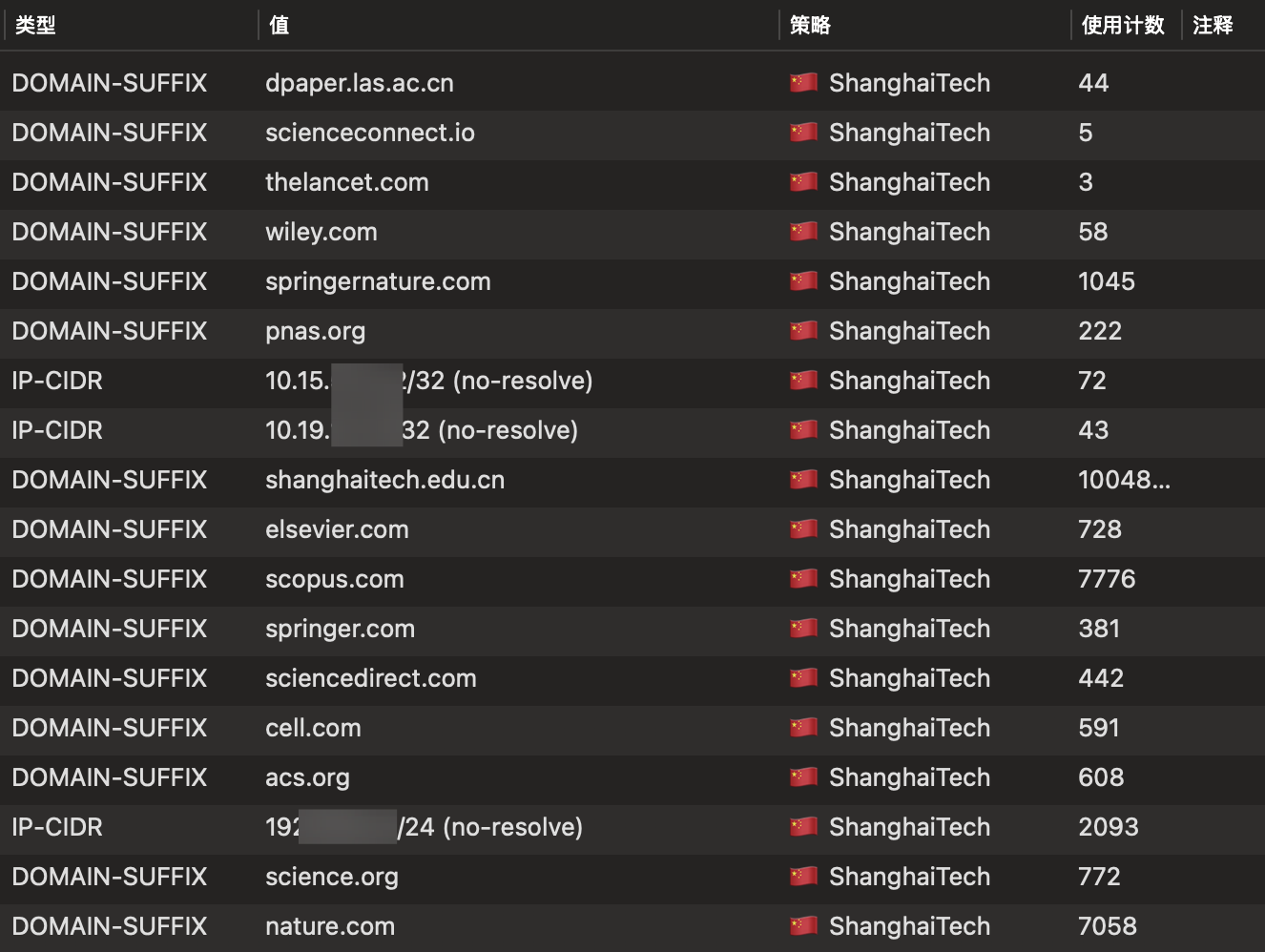
Resources that require the campus network
Tail
VLESS has since added a reverse proxy feature, but this setup has been running stably for a long time and I don't want to tinker with it anymore. If you're interested, give it a shot.
Also, the public server running frp needs reliable routing to mainland China, or the experience will be miserable. I first tried a server in Hong Kong, thinking that the shorter physical distance would make things even more seamless in theory. In practice, its routing wasn't good enough and it lagged badly at times. Later I switched to a US server with higher-quality routing, and it's been quite stable.
frp does have alternatives, but I can't be bothered to tinker anymore, so I stuck with frp.
If you're dealing with the same problem, I hope this post helps.